
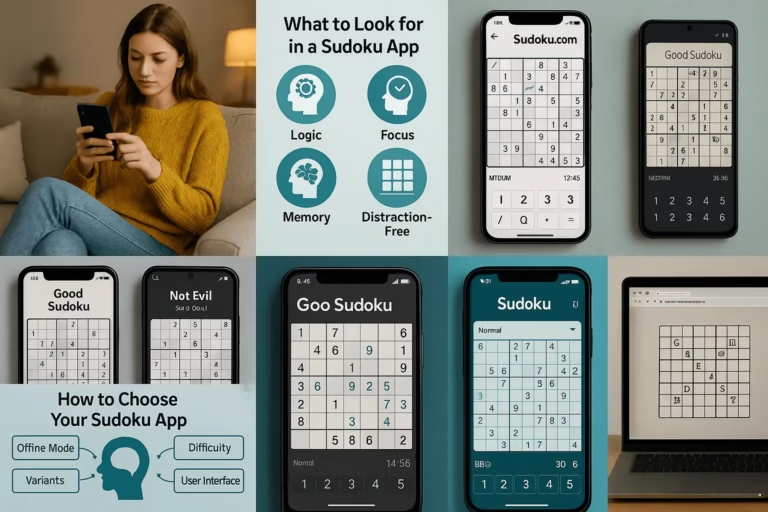
Finding a genuinely good sudoku app is harder than it should be. Most of the top results are bloated with ads, push notifications, and in-app purchases that interrupt the puzzle every few minutes. After testing dozens of options across Android and iOS, these are the ones that actually respect your time and deliver a clean solving experience.
Whether you want something free, something ad-free, or something with a smart hint system that teaches rather than just solves, there’s a pick below that fits.
The Best Sudoku Apps in 2026
1. Good Sudoku by Zach Gage (iOS)
If you’re on iPhone or iPad, Good Sudoku is the one to get. Designed by indie developer Zach Gage, it treats solving like a craft. The app highlights valid candidates as you go, flags mistakes without spoiling the puzzle, and teaches technique naturally rather than dumping a tutorial on you upfront.
It’s not free, but the one-time purchase removes all friction permanently. No subscriptions, no ad interruptions. If you’re serious about improving, the way it surfaces patterns you’ve missed is genuinely useful.
Best for: iOS users who want a premium, distraction-free experience
2. Sudoku.com by Easybrain (Android & iOS)
Sudoku.com is probably the most widely used sudoku app across both platforms, and for good reason. It’s polished, has a clear difficulty curve from easy to expert, and includes daily challenges that keep things fresh. The free version is usable, though ads appear between puzzles.
The Android version is particularly strong, with solid offline support and a satisfying error-tracking system. If you’re looking for the best sudoku app for Android without paying anything, this is the most reliable starting point.
Best for: Android users, cross-platform players, daily challenge seekers
Play Free Sudoku — Anytime, Anywhere
Need a quick focus boost? Choose your level, play instantly online, or grab beautifully formatted printable PDFs — all completely free.
Suggestion: Save a few PDFs to your phone or print a bundle now — perfect for travel, screen-free time, or quick focus breaks.
3. Microsoft Sudoku (Android & Windows)
Microsoft Sudoku is free, regularly updated, and surprisingly well-built for something that came bundled with Windows. On Android it performs cleanly with minimal lag even on older devices. There are adventure modes and themed puzzles beyond the standard grid, which adds variety if you solve daily.
It’s ad-supported but the ads aren’t disruptive. It’s also one of the better options if you play across Windows and Android and want a consistent experience on both.
Best for: Windows users and those who want free without aggressive monetisation
4. Sudoku by Brainium (Android & iOS)
Brainium’s take on sudoku is quieter and less flashy than Easybrain’s, which is exactly what a lot of players prefer. The interface is minimal, the puzzles are well-calibrated, and it doesn’t constantly nudge you toward a premium tier. The hint system is conservative, meaning you’ll actually have to think rather than lean on it.
This one works well for people who’ve already got the basics down and want a no-nonsense daily solver. It pairs well with brushing up on core sudoku solving techniques if you’re working on improving your method.
Best for: Intermediate to advanced solvers who want a clean, low-distraction interface
5. Sudoku !! (iOS)
A quiet achiever on iOS. Sudoku !! doesn’t have the brand recognition of the others but it’s fast, lightweight, and free without the ad load you’d expect. Candidate notation is handled well and the app is responsive enough that it doesn’t feel like a budget option despite the price tag.
Best for: Budget iOS users who still want a quality experience
Best Free Sudoku Apps
The strongest completely free options with the least aggressive monetisation are Microsoft Sudoku and Sudoku.com’s free tier. Both are ad-supported but fully playable without spending anything. Sudoku !! on iOS is worth a look too if you’re on Apple and don’t want to pay.
If a one-time purchase is on the table, Good Sudoku is the best value buy in the category by a wide margin. You pay once and that’s it.
Best Sudoku Apps for Android
Android users have solid choices across the board. Sudoku.com handles offline play well and covers everything from beginner to expert. Microsoft Sudoku is consistent on older hardware, which matters more than people expect. Brainium’s app is the quieter alternative if you’d rather not deal with anything too busy.
One thing worth knowing: the Play Store is full of sudoku clones with near-identical interfaces and aggressive ad timing. Sticking to the picks above filters most of that out without much guesswork.
What to Actually Look for in a Sudoku App
Hint quality: A hint that fills in the answer is useless for improving. Look for apps that point to the technique being applied, not just the cell being solved.
Candidate display: Good apps let you see pencil marks clearly without cluttering the grid. This matters a lot on smaller phone screens.
Error handling: Some apps flag mistakes in real time, others wait until you’re stuck. Neither is objectively better, but you should know which mode you’re in before you start a puzzle.
Offline support: Most of the apps above work offline once downloaded. Worth confirming if you solve on commutes or during travel.
Ad frequency: A 15-second ad every three puzzles is tolerable. A full-screen ad after every single puzzle is not. The picks here are relatively reasonable on this front.
Sudoku Apps and Brain Health
There’s a reason people reach for sudoku rather than other puzzle formats. The logic involved activates working memory, pattern recognition, and sequential reasoning at the same time. A study published in the International Journal of Geriatric Psychiatry found that adults who regularly engage in number puzzles show measurably better cognitive function across several key markers.
That said, not all app experiences deliver the same benefit. Passive hint-reliance and auto-solve features short-circuit the mental work that makes the habit valuable. Apps that hold back and let you struggle through the hard parts are doing you more good than ones that hand you the answer. For a detailed look at the research, see how sudoku benefits your brain.
Getting Started Without Getting Stuck
Beginners often grab whatever ranks first in the app store, set it to easy, and never really progress. A better move is to finish a few dozen easy puzzles without hints, then jump to medium before you feel fully ready. The discomfort of the step up is where learning actually happens.
Good Sudoku and Sudoku.com both handle this progression reasonably well. Once you’re comfortable with medium, you’ll hit a ceiling that better app settings won’t fix. That’s when picking up specific techniques becomes necessary. The guide to solving techniques for hard sudoku covers X-wings, pointing pairs, and box-line reduction in the order you’re most likely to need them.
Want to Level Up Your Sudoku Skills?
Whether you’re just starting out or sharpening your strategy, these clear, beginner-friendly guides will help you solve Sudoku with confidence.
⭐ Pro Insight: Just 10 minutes a day with the right techniques can dramatically improve your solving speed and confidence.
Frequently Asked Questions
What’s the best free sudoku app for Android?
Sudoku.com by Easybrain is the strongest free option for Android. It includes offline support, daily challenges, and a well-structured difficulty curve. Microsoft Sudoku is a close second if you want more variety in game modes.
Is there a sudoku app with no ads?
Good Sudoku by Zach Gage on iOS is completely ad-free after a one-time purchase. On Android, Brainium’s Sudoku offers a premium tier that removes ads. Most free apps include advertising, but Microsoft Sudoku and Sudoku.com are less aggressive than many others in the category.
Which sudoku app is best for beginners?
Sudoku.com handles beginners well with easy mode and optional error highlighting. Good Sudoku on iOS is excellent if you want to learn technique, as its hint system explains the logic behind each move rather than just filling in the answer.
Can I play sudoku apps offline?
Yes, most top apps support offline play once downloaded. Sudoku.com, Microsoft Sudoku, and Brainium all work without an internet connection. Good Sudoku on iOS also plays fully offline after the initial download.
What’s the difference between sudoku apps on Android vs iOS?
The biggest difference is exclusivity. Good Sudoku by Zach Gage is iOS-only and widely considered the best premium option. Android has stronger cross-platform support from apps like Sudoku.com and Microsoft Sudoku. The Play Store also has more low-quality clones, so sticking to known names matters more on Android.
Do sudoku apps actually help your brain?
They can, but only if you’re genuinely solving rather than leaning on hints. Research suggests number puzzles engage working memory and reasoning in ways that support cognitive health. Apps that auto-fill answers remove the mental work that makes the habit beneficial.
Are paid sudoku apps worth it?
For regular solvers, yes. A one-time purchase like Good Sudoku costs a few dollars and removes all friction permanently. If you’re solving daily, the quality difference between a well-designed paid app and a free ad-heavy one becomes obvious within a week.